Staff assistant

Turn a quick note into a finished draft.

It takes a rough note and writes the email, reply or memo in your organization's own voice. You read each draft before you send it.

From $99/mo on Pro · no setup fee

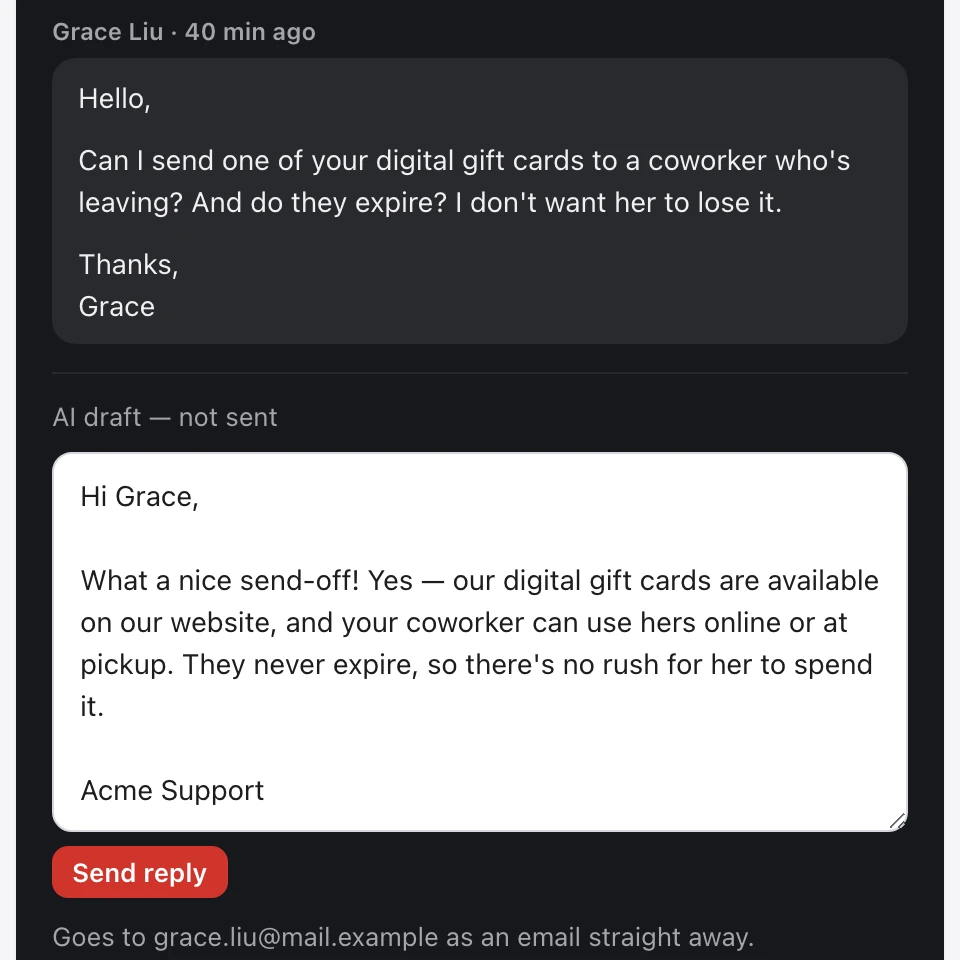
Today, Email: a customer's email with a reply drafted below it, marked as not sent, and a Send reply button
Email. A customer's email with a reply drafted for your team to check and send. A demo company, sample data.

What it does

Drafts written in your organization's own voice

The Staff assistant writes as if your organization's leader is speaking — turning a few bullet points or a hurried note into a finished, ready-to-send draft that sounds like your leadership really talks. It's behind its own staff login inside the platform, with its own saved templates and a history of past drafts, so the whole team writes in the same voice instead of starting from scratch every time.

Accuracy still applies

Free in tone — careful with the facts

The Staff assistant can write in any tone or about any topic, unlike the public assistant — but it gets the same accuracy rule as chat and the phone line: don't make things up. It drafts confidently in your voice, and it is instructed not to invent numbers, dates, positions, names, or promises — to stick to what it actually knows and leave the rest for a person to fill in. Like any AI it can still get something wrong, so read each draft before you send it.

Edition voice

One system, the right voice for your edition

The Staff assistant writes in whichever voice fits how you operate. It's the same drafting system underneath, with two presets to choose from — set up when you get started, then fine-tuned over time from your templates and recent drafts.

Campaign edition — written as the person seeking office

Writes as if the person seeking office is speaking: replies to the people who reach out, donor follow-ups, notes to helpers, and internal memos that sound like them. The accuracy rule tells it not to guess at numbers, positions, or names, even while your team is moving fast through the inbox.

Business edition — written as the owner

Writes as if your owner or leader is speaking: customer and partner email, internal announcements, and memos that keep the same leadership tone across the whole team. The same accuracy rule tells it not to overpromise or invent a detail; still, read each draft before it goes out.

Availability

Included with Pro and Complete

The Staff assistant is included with Pro ($99 a month) and Complete ($349 a month) — there's no add-on fee or separate bill. It uses the same knowledge base as your chat and phone, and writes in the voice you choose.

Starter planDoesn't include the Staff assistant — you can upgrade to Pro anytime and it turns on using the knowledge you've already added.

Upgrading is one email to support@linasystems.org — it happens right away, and the Staff assistant turns on using the knowledge and voice settings you already have. See full pricing →

Talk to Eljae

Try it, then start when you’re ready.

This site’s chat and phone line are Eljae, on our own Lina account: the same system you get. Use the chat button at the bottom right, or hear the phone agent: call (619) 853-2687.